
ChefTab Screen Types
Description: Review brief descriptions of the various screen types that ChefTab supports below, as configured in ChefTab Settings > Device Profile Settings > Station Type.
| STANDARD FOOD PREP |  |
Emulates a restaurant ticket wheel. Tickets are displayed from left to right. Spin the wheel to access all tickets. Ideal for small to medium-length tickets. |
| TRADITIONAL FOOD PREP (5x2) | 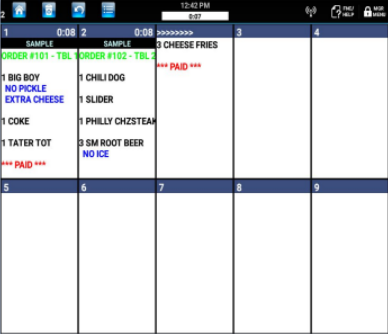 |
A typical KDS display with boxes. Long orders overflow into the next box. Ideal for any length tickets. |
| TRADITIONAL FOOD PREP (10x2) | 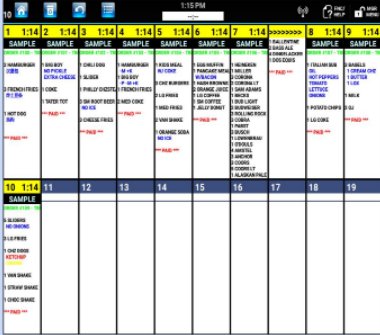 |
Same as the Traditional 5x2 except with more boxes. Font sizes can be adjusted to allow longer descriptors. |
| SPLIT SCREEN (5x2) |  |
Allows for certain tickets to display on the bottom and others on top. For example, Drive Thru orders are on the bottom and all others are on top. |
| ITEM PREP |  |
Displays individual items instead of entire tickets. Allows for processing of individual items as well as timed item display based on prep times. |
| EXPEDITER | 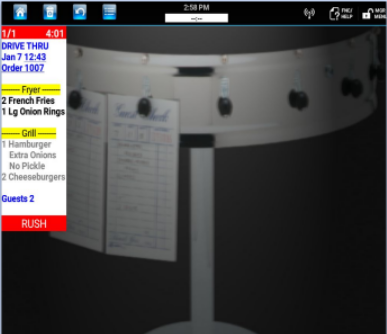 |
EXPO is a specialized display that displays consolidated tickets from the other food prep displays and provides prep status thru item colorization. |
| ORDER READY |  |
A customer-facing display that provides the customer with order statuses. The background is programmable and can have multiple, timed, scrolling images. |
| ADVERTISEMENT |  |
A customer or lobby-facing screen that allows programmable advertisements or notifications to be displayed on a timed basis. |