
Barcode Scanner Functions and Modes
Description: Learn how to use barcode scanner user guides to change functions and scanning modes for standard and 2D barcode scanners by scanning specific configuration barcodes.
Each barcode scanner User Guide can be used to change functions and scanning modes for both the Barcode Scanner (standard) and the 2D Barcode Scanner. The following barcodes need to be scanned to alter the modes and functions of the scanner.
Trigger Click
The scanner makes a noise when the trigger is pressed.

Beeper Volume
Determines how loud the scanner beeps when a barcode is scanned, or whether it beeps at all.
Note: If the Beeper Volume is shut off, the Trigger Click automatically shuts off as well.

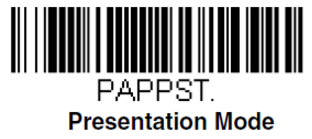
Presentation Mode
Presentation Mode uses a motion sensor to detect when you are about to scan an item. It displays the LED and scanner when an item is nearby.
Manual Trigger Mode
The scanner scans until a barcode is read or the trigger is released.
