
Department Setup in Harbortouch Retail
Description: Set up departments in HT-Retail with the steps below.
- Log in to the system, and then access the Setup menu.
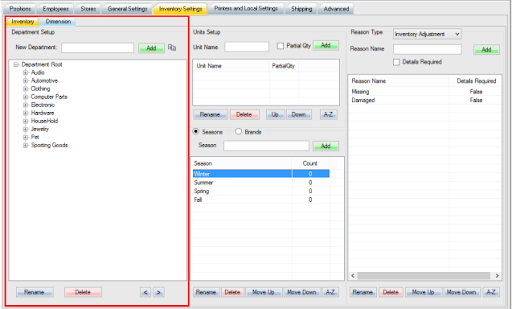
- Select the Inventory Settings tab near the top of the screen.
.png?revision=1)
- Location of departments:
.png?revision=1)
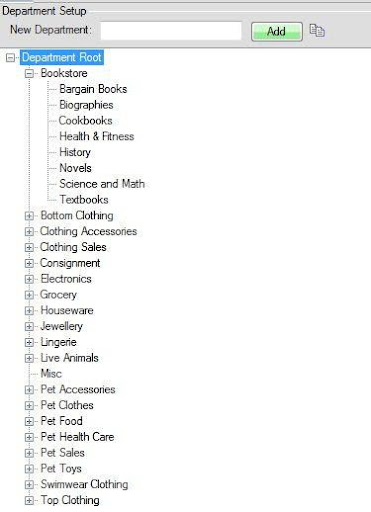
- Your department will be created depending on which root you have selected.
.jpg?revision=1)
Example: If Department Root is selected and you create a department called Bookstore, it will be created under Department Root. Then, if you click to select Bookstore, you can create a department with Bookstore selected to create a sub-department for that, etc.
- Departments Overview:
.jpg?revision=1)
- To the right of New Department, type in the name of the department you wish to create.
- Click Add to finalize the creation of the department.