
Close a Check to Cash in POSitouch
Description: Learn how to manually pay out a check to cash and how to set the default payment type to cash.
Close a Check to Cash in POSitouch
- From the Back Office Main Menu, select Back Office Setup > Payment > Payment System Options 1.

- To have the payment type default to cash, set the “Start with CASH?” flag on and select OK.
.jpeg?revision=1)
- From the Main Menu, select Immediate System Change.

- Select Continue.
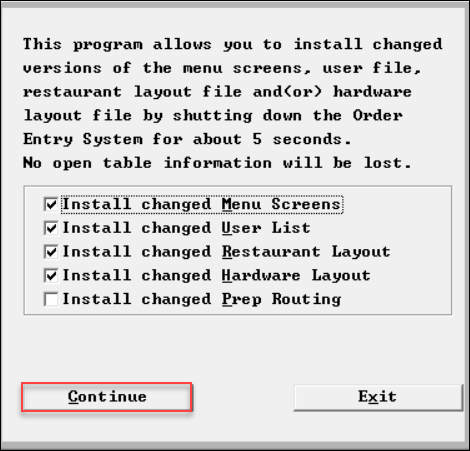.png?revision=1)
- When Start with CASH is ON, the payment screen defaults to a cash payment as shown.
.jpeg?revision=1)
Note: A different payment type can still be selected at any time.
When Start with CASH? is OFF or not flagged, the payment screen will not default to any payment type, and a server would need to touch cash for a cash payment..jpeg?revision=1)