
Description: Learn how to check your Customer Hub version, Shift4 Dine Customer Hub, or Shift4 Customer Hub.
To identify your version, there are two methods:
Dashboard
- Log in to the Customer Hub.
- Select Dashboard on the left navigation menu.

This dashboard indicates that you are using the Shift4 Customer Hub version:
If you are using this version, visit Shift4 Customer Hub Basics for relevant articles.
This dashboard indicates that you are using the Shift4 Dine Customer Hub version:
If you are using the Shift4 Dine version, visit the Shift4 Dine Customer Hub Basics for relevant articles.
Menu
Evaluate the menu structure.
If you are using this version, visit Shift4 Customer Hub Basics for relevant articles: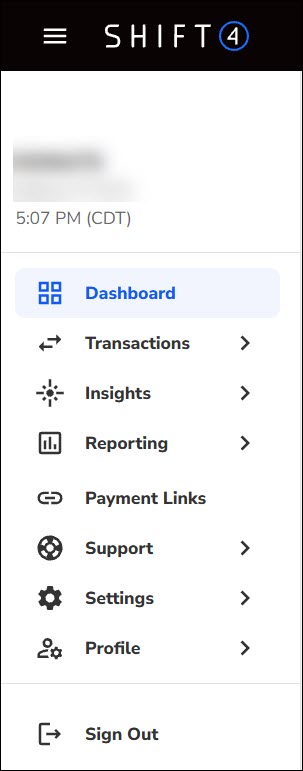
If you are using the Shift4 Dine version, visit the Shift4 Dine Customer Hub Basics for relevant articles.