
Description: Learn to manage and customize email alerts for team members, so they receive only the notifications relevant to their role on Delivery Management.
Important: Delivery Management is not generally available to merchants in the United States. If you're a US merchant looking for delivery solutions, explore the delivery integrations available in the Marketplace.
Edit Alerts for Members
- Log in to the Shift4 Dine Customer Hub and select Delivery Management.

- Navigate to your Profile.

- Select Settings.

- Select Members.

- Select the kebab menu (3 vertical dots) for the team member you want to edit.

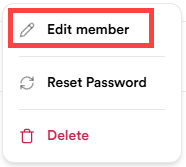
- Select Edit member.
- Open the Alerts dropdown and choose which alerts the member should receive.
- Select Save to apply the changes