
Description: Learn to mark specific items as tax-exempt and update your location tax settings on Delivery Management so the changes apply correctly to third-party ordering channels.
Important: Delivery Management is not generally available to merchants in the United States. If you're a US merchant looking for delivery solutions, explore the delivery integrations available in the Marketplace.
Create Item-Level Tax Exemptions
- Log in to the Shift4 Dine Customer Hub and select Delivery Management.

- Select the List view icon.

- Using the checkboxes, select all items you want to mark as tax-exempt.

- Select the Tax option at the top.

- Toggle the Tax Status to Exempt (enabled).

- Select Save.
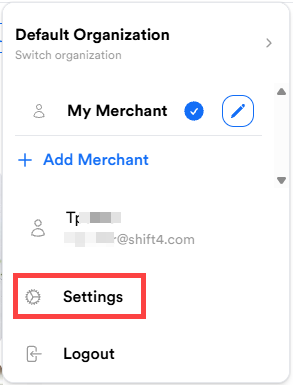
- From your Profile, select Settings.
- Select Locations & Integrations.

- Select the location where you set the item exemptions.
- Select Taxes.
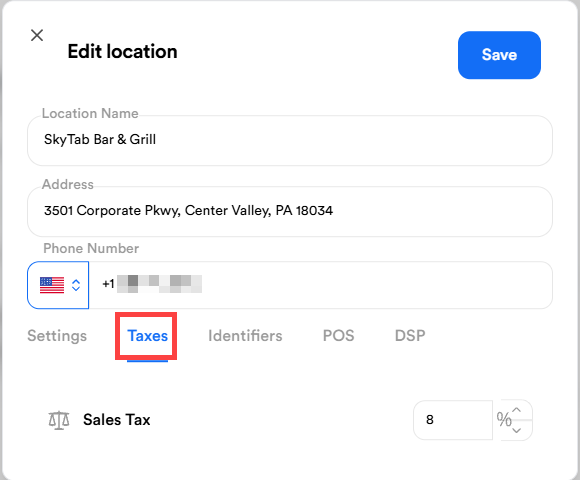
- Set Sales Tax to 0% and select Save.
- Select Publish All to publish to 3rd-party channels.