
Description: Learn how to reconnect or disconnect any 3rd party integration, such as Flipdish, ChowNow, or Uber Eats, to your POS and refresh the connection on Delivery Management.
Important: Delivery Management is not generally available to merchants in the United States. If you're a US merchant looking for delivery solutions, explore the delivery integrations available in the Marketplace.
Reconnect a 3rd Party Integration
- Log in to the Shift4 Dine Customer Hub and select Delivery Management.

- Navigate to your profile.

- Select Settings.

- Select Locations & Integrations from the left menu.

- Choose the 3rd party integration you want to reconnect.
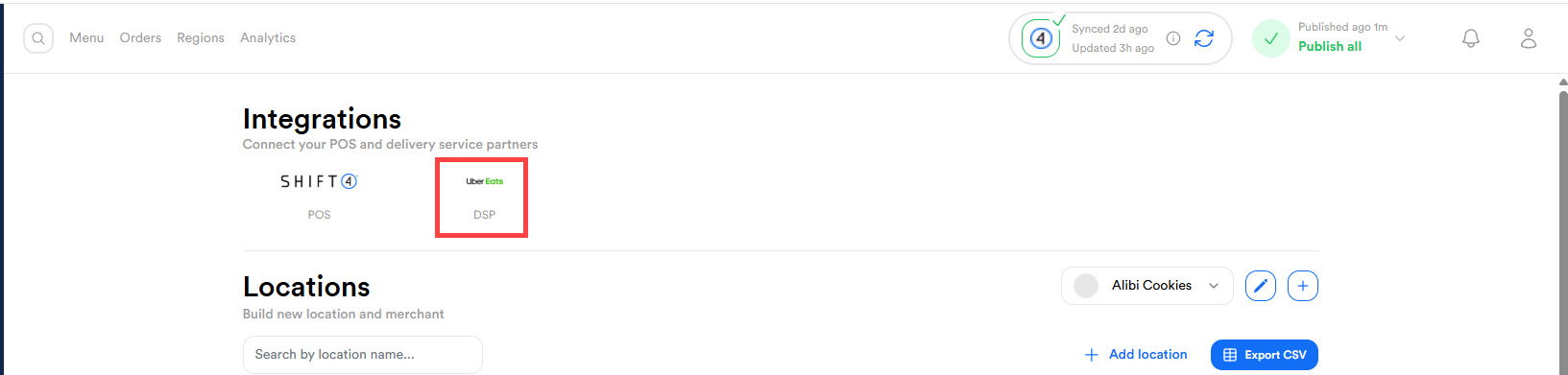
- Select Reconnect for the desired location.
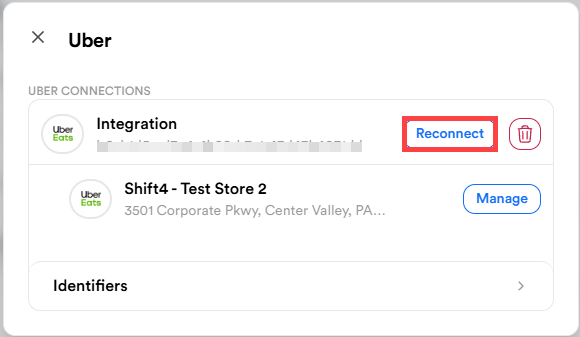
- Log in with your 3rd party credentials.
- Select Yes, Allow for required permissions.
- Confirm the connection by checking for the "Integration refreshed" notification.
Disconnect a 3rd Party Integration
- Navigate to your profile.
- Select Settings.
- Select Locations & Integrations from the left menu.
- Choose the 3rd party integration you want to remove.
- Select the Trash icon to delete it.

- Type Confirm and select Remove.