Add a Ticket Special Request for the Handheld
Description: Learn how to add a special request for a ticket on the Handheld.
Availability: United States, Canada
Use special requests to communicate custom instructions, dietary preferences, or customer-specific needs that aren’t available as standard modifiers.
To add a special request:
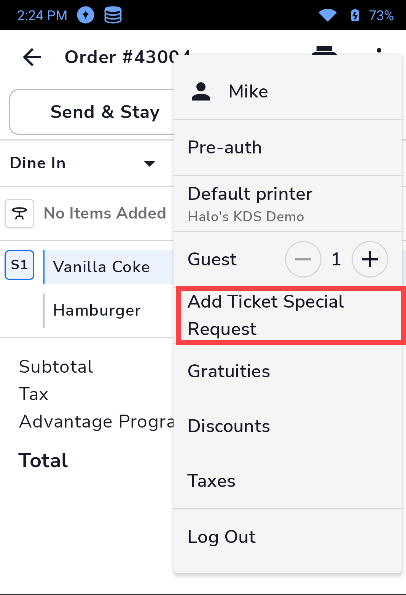
- On the Handheld, open a ticket and tap the kebab menu (3 vertical dots).

- Tap on Add Ticket Special Request.
- Enter the special request details, then tap Ok.

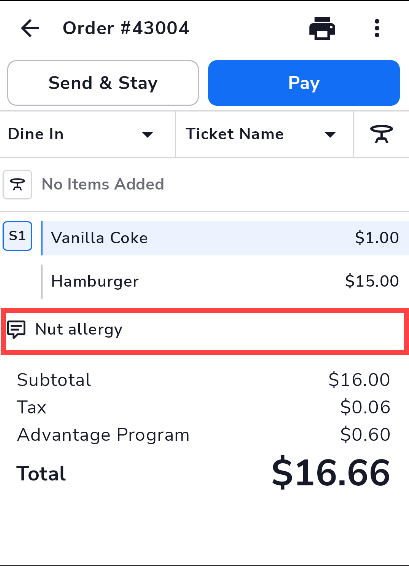
- Once the request has been saved, it will display on the ticket.