

Description: Learn how to configure location-level operational settings in Location Management, including payment and receipt behavior.
Location Settings Overview
Location settings control how a specific location behaves during transactions and receipt printing.
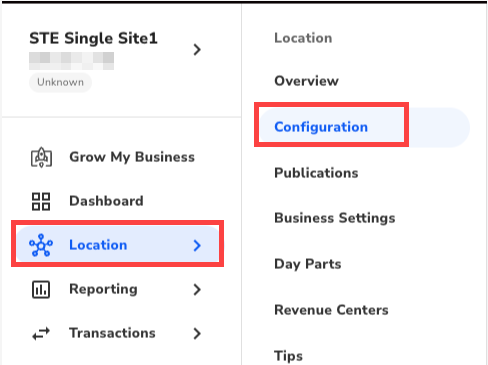
- To access the location settings for Single Locations, navigate to Locations > Configuration.
- To access the location settings in Multi-Location Management, navigate to Enterprise > Locations.

- Select a location.
- Open the Configuration tab.
Payment and Receipt Settings

Allow Manual Credit Card Entry: Enables the Credit Manual tender on the Payments screen for supported payment devices.
Note: Not all payment devices support manual card entry.
Signature Line: When enabled, a signature line prints on the merchant receipt for credit transactions when the configured threshold amount is met.
Payment Slips: When enabled, a separate payment slip prints for the following tenders once the threshold amount is met:
- Credit/Debit
- Gift