
Description: Learn how to configure your tip settings in QR Pay.
To configure tips:
- Log in to the Shift4 Dine Customer Hub.
- Once logged in, select Marketplace > QR Pay under My Apps.
start.png?revision=1)
-
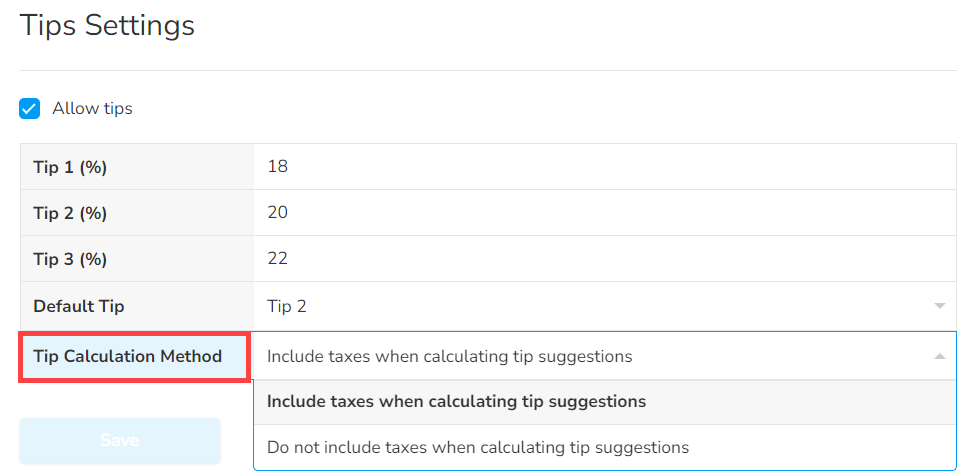
Scroll down to the Tips Settings section.
-
Check the box next to Allow tips, then enter values in the provided fields.

- You can set a default value if you wish, using the "Default Tip" dropdown.
- You can change how the tip is calculated (pre-tax or after-tax) using the "Tip Calculation Method" dropdown.
.png?revision=1)
- When you are finished, press Save.