
Reset a Domain on Website Builder
Description: Learn how to reset your domain on Website Builder to ensure accurate setup following a business ownership change, relocation, or initial configuration error.
This process clears the existing domain data and allows you to register it again correctly.
Note: You will only be allowed up to 2 domain resets.
To reset a domain:
- Log in to your Website Manager.
- Select the Settings option on the left navigation menu.

- Here you will see a list of Connected Domains.
- Select the gear icon located next to the domain you want to reset.
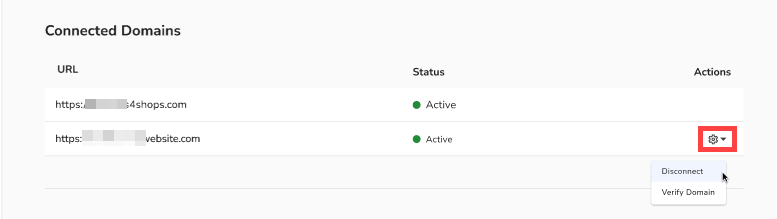
- Select Disconnect.
- A message displays confirming you want to disconnect the domain. Select Disconnect Domain.

Please visit Register or Connect a Domain to register another domain.