
Adjust Brightness and Sleep Settings on a PAX A800
Description: Learn how to conveniently adjust the brightness or sleep settings directly from your PAX A800, as outlined in the article below.
- To begin, press and hold the Power button on the device to access the Settings menu.

- Once rebooted, you will see the A800’s homepage, where you can select the Settings app.
- When prompted, enter the password 9876.
- If this password is unsuccessful, newer models may use the password pax9876@.

- If this password is unsuccessful, newer models may use the password pax9876@.
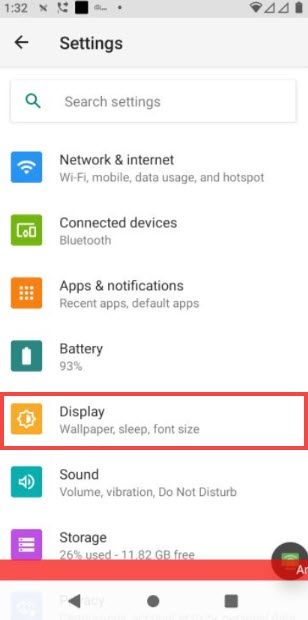
- Select Display from the Settings menu.
Brightness Settings
- If you are updating the Brightness settings, select the first option, Brightness level.
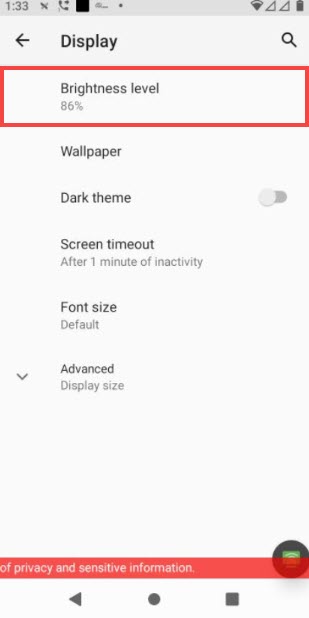
- A brightness bar appears at the top of the screen. Use your finger to move the cursor left to right, depending on how bright or dark you’d like the device to be.

Sleep Settings
- If you are updating the Sleep setting, select the Screen timeout option.

- The available options determine how long a device can remain inactive before entering Sleep Mode. Choose your desired Sleep settings to close the dialog.
