
Resolve Consistency Failure in Transaction Manager
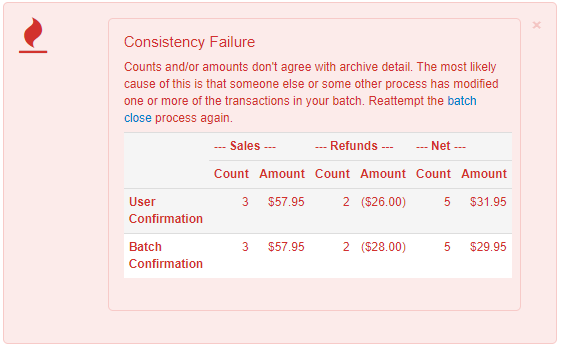.png?revision=1)
What is causing this Issue?
This issue is caused by variances between the amount displayed on the user screen and the transactions eligible to close according to the view options. Historically, this has been caused by various issues, including:
- Two or more different users logged in to Transaction Manager at the same time, attempting to close or modify the same group of transactions.
- Browser caching issues.
- Transaction issues that allow the transaction to be displayed in the list but not to close successfully.
How do I resolve this Issue?
- Log out of Transaction Manager, clear your browser's cache and cookies, then log back in and attempt the batch submittal again.
- Attempt another web browser client (IE, Chrome, Firefox, Edge, Safari) and attempt the batch closure again. Keep a record of the browser(s) used.