
Description: Learn how to enable gift card payments in Online Ordering.
Important: Online Ordering gift card payments are only enabled for Shift4 Dine merchants. Harbortouch Hospitality merchants cannot use this option.
To enable gift card payments:
- Log in to the Customer Hub and navigate to Marketplace > Online Ordering using the left navigation menu.
star.png?revision=1)
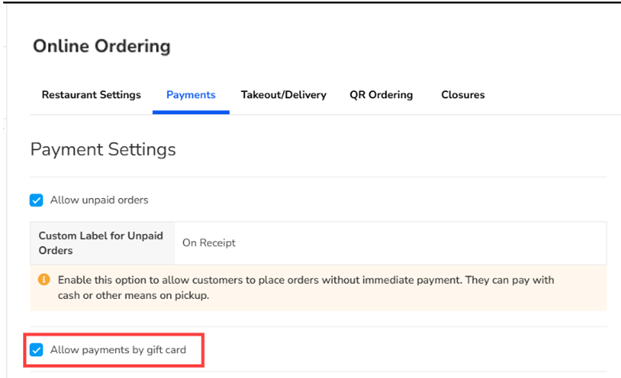
- Select the Payments tab at the top of the window.
- Under Payment Settings, select the checkbox for Allow payments by gift card.
.png?revision=1)
- Select Save.