
Description: Learn how to access robust Financial and Operational reporting from Reports in the Shift4 Customer Hub.
Reporting options allow you to control the time frames, set up an email subscription, and select exporting options.
Access Reports
To access reporting:
- Log in to the Customer Hub, then select Reporting > Reports from the left navigation menu.

- Select your report from either the Operational Reports or Financial Reports section.
Note: For additional information about a specific report, please select the appropriate link below:
- Ensure the needed report is visible within the Report field.
Note: You can also change the report by selecting the down arrow. - Define the timeframe within Period
- Select Generate.

- Set up an email subscription or export it to CSV, Excel, or PDF format.


Create a Subscription
-
-
- Select the envelope icon in the upper right corner.
- Fill in the fields, including email(s), frequency, day of the month, time, format type, and an optional Subject Line.
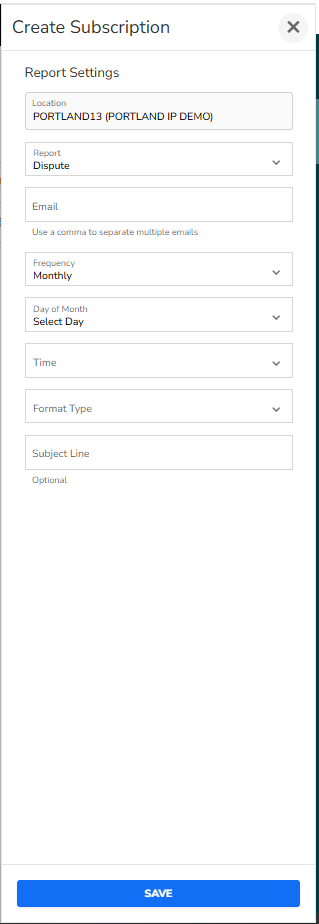
- Select Save.
-
Export a Report
-
-
-
- Select the export icon in the upper right corner.

- Select your preferred format. The report will automatically download to your computer.
- Select the export icon in the upper right corner.
-
-