
Description: Learn how to set your sales tax for a location on Delivery Management, which will apply to all connected third-party channels.
Important: Delivery Management is not generally available to merchants in the United States. If you're a US merchant looking for delivery solutions, explore the delivery integrations available in the Marketplace.
Set Tax Rate
- Log in to the Shift4 Dine Customer Hub and select Delivery Management.

- Select Profile in the top right corner.

- Select Settings.

- Select Locations & Integrations from the left side panel.

- Select the location you want to adjust taxes for.

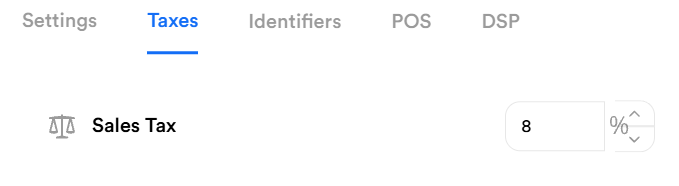
- Select Taxes.

- Enter your sales tax.
- Select Save.
- Return to the Main menu and select Publish All to apply your sales tax.